Another app?! I already have too many options and can scarcely keep them straight. Learning a new one takes time, then I don’t have time to make the learning tools that drew me to them in the first place. Enter H5P, a resource for creating a wide variety of learning tools from one base.

Click here to test it for yourself.
In ten minutes, a standard graphic that I use when teaching the idea of triangular trade in my Colonization unit for US History became enhanced with the hotspots you see as plus signs on the image. Clicking each will share a short paragraph on the importance of that corner of the triangle, with an additional notation about the horrors of the Middle Passage transporting humans in cargo holds for a month.
Similarly, I created focused notes on a video selection from class because it’s impractical for students to take notes during a video effectively (darkened classroom, missing other parts while taking notes). Immediately afterward, students can complete this drag-and-drop activity and practices their differentiation with the names of generals, locations, and dates. Once they verify their accuracy, since they can retry, they can save the passage as study notes. How long did that take me? About 15 minutes.
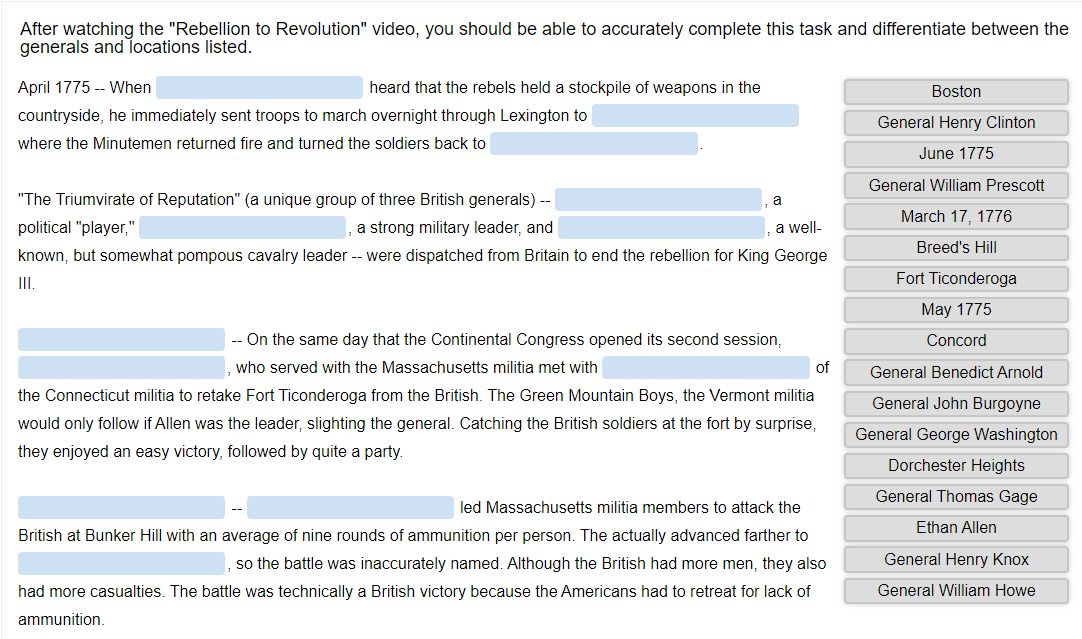
Feel free to try this one to by clicking here, but you might want to watch the video first.
Variety is the magic word with H5P. I can create stackable lists, math quizzes, charts, collages, newspaper columns, presentation slides, flash cards, forms, drag-and-drop images, fill-in-the-blank passages, images with questions, interactive videos, word marking, memory games, multiple choice questions, a quiz from a question set, single-option questions, summarizing activities, true-false questions, an audio recording, a sliding image, take dictation, a branching scenario, or a 360 virtual tour — all from one program. No more EdPuzzle logins, Quizlet list links, or Quizizz connections. All of it can work from my custom pages in my LMS. Canvas, Brightspace, Blackboard, and Moodle connect directly. Others involve a few more steps, but nothing too involved.
I want ACTIVE learners and H5P gives me the opportunity to do just that. Some options really are just low-level clicks, but others have very advanced possibilities. Each can be used with extensive results, but not expensive ones, since H5P is available for a free trial until you are certain you would use it.
Take a look at the latest EmpowerED Tool Talk on H5P for more insights.
Teacher Takeaways
Create custom learning tools to empower responsive learning activity from students on every lesson.
 EmpowerED